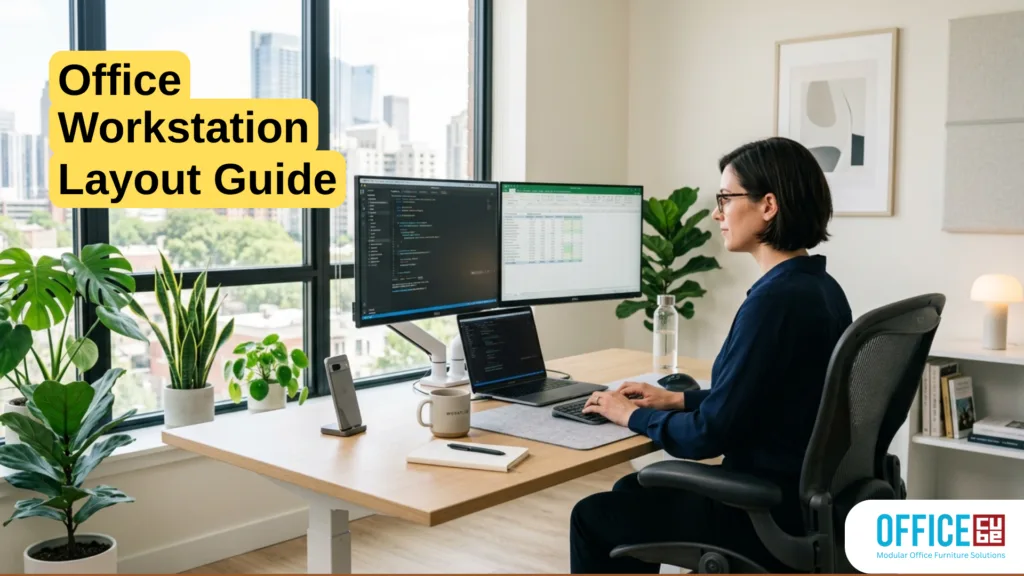
Understanding the Importance of Office Workstation Layout
Designing an office workstation isn’t just about placing a desk and chair in a room and calling it a day. It’s more like orchestrating a symphony- every element needs to work in harmony to create an environment that boosts productivity, comfort, and overall well-being. A well-thought-out office workstation layout can dramatically influence how employees feel and perform throughout their workday. Ever noticed how cluttered spaces tend to make you feel overwhelmed? That’s no coincidence. The layout directly affects mental clarity, efficiency, and even job satisfaction.
In today’s fast-paced work culture, businesses are beginning to recognize that the physical workspace is just as important as digital tools. According to a 2024 workplace productivity study, employees working in optimized environments reported up to 25% higher efficiency compared to those in poorly designed spaces. That’s a significant difference, especially when scaled across an entire organization.
Think of your workstation as your personal command center. Everything you need should be within reach, logically placed, and designed to minimize unnecessary movement. A poorly designed setup forces you to constantly adjust, reach, or reposition yourself, leading to fatigue and reduced focus. On the flip side, a thoughtfully arranged workstation can help you glide through tasks seamlessly.
Another important aspect is psychological comfort. When employees feel comfortable in their workspace, they’re more likely to stay engaged and motivated. Colors, spacing, lighting, and even desk orientation all contribute to this sense of comfort. It’s not just about aesthetics- it’s about creating an environment where people can thrive.
How Layout Impacts Productivity
The connection between workspace layout and productivity is stronger than most people realize. Imagine trying to concentrate while constantly being interrupted by noise, poor lighting, or an uncomfortable chair. It’s like trying to run a marathon with your shoelaces tied together- technically possible, but unnecessarily difficult.
A well-structured layout minimizes distractions and supports workflow efficiency. For example, placing frequently used tools within arm’s reach reduces time wasted on unnecessary movements. Similarly, organizing digital and physical resources in a logical manner helps employees maintain focus and avoid cognitive overload.
Research from Harvard Business Review suggests that employees in thoughtfully designed workspaces can experience up to 20% fewer distractions. That’s because the layout itself acts as a silent productivity partner. When everything is in its right place, your brain doesn’t have to work overtime to compensate for inefficiencies.
Another factor is movement flow. In open offices, poorly planned layouts can lead to constant interruptions as people walk past each other. Strategic placement of desks, meeting areas, and walkways can significantly reduce these disruptions. It’s about creating a natural rhythm in the workspace- where movement feels intuitive rather than chaotic.
The emotional aspect also plays a role. A cluttered or cramped workspace can increase stress levels, while a clean and organized layout promotes a sense of control and calmness. It’s similar to how a tidy home can make you feel more relaxed. When your environment supports you, your productivity naturally improves.
The Role of Ergonomics in Modern Offices
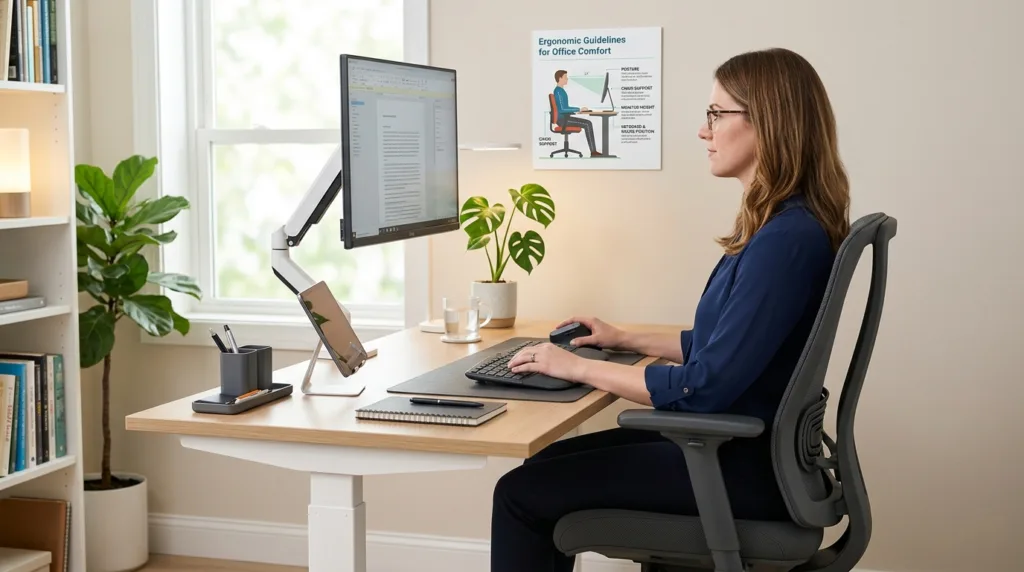
Ergonomics isn’t just a buzzword- it’s the backbone of any effective office workstation layout. At its core, ergonomics is about designing a workspace that fits the user, rather than forcing the user to adapt to the workspace. And let’s be honest, how many of us have spent hours hunched over a desk, only to end up with a stiff neck or sore back?
Modern offices are increasingly prioritizing ergonomic design because the benefits go far beyond comfort. According to the Occupational Safety and Health Administration (OSHA), ergonomic improvements can lead to a reduction in musculoskeletal disorders by up to 60%. That’s not just good for employees- it’s also a win for employers in terms of reduced absenteeism and healthcare costs.
An ergonomic workstation typically includes an adjustable chair, a desk at the correct height, and a monitor positioned at eye level. These elements work together to maintain proper posture and reduce strain on the body. Think of it like tuning a musical instrument- when everything is aligned correctly, performance improves effortlessly.
But ergonomics isn’t just about furniture. It also involves how tools and equipment are arranged. For example, your keyboard and mouse should be positioned to allow your wrists to remain straight, while your screen should be about an arm’s length away. Small adjustments like these can make a huge difference over time.
There’s also a growing trend toward sit-stand desks, which allow users to alternate between sitting and standing throughout the day. Studies have shown that this can improve energy levels and reduce fatigue. It’s a simple yet powerful way to keep the body engaged and prevent the stiffness that comes from prolonged sitting.
Ultimately, ergonomics is about creating a workspace that supports your natural movements and reduces physical stress. When your body feels good, your mind can focus on what truly matters- getting the job done efficiently and effectively.
Key Elements of an Effective Workstation
Creating an effective workstation isn’t about chasing perfection- it’s about building a setup that works seamlessly with your daily habits. Think of it like setting up a kitchen: if everything you need is within reach and logically arranged, cooking becomes effortless. The same principle applies to your office workstation layout. Every element, from desk placement to chair height, plays a role in shaping how efficiently you work throughout the day.
An effective workstation blends functionality, comfort, and accessibility. It ensures that you don’t have to constantly adjust your posture, search for tools, or deal with unnecessary clutter. When these factors are optimized, your brain can focus entirely on tasks instead of distractions. Studies show that employees with well-designed workstations experience up to 30% less physical discomfort, which directly translates into better concentration and output.
Another critical aspect is adaptability. No two employees work the same way, so a rigid, one-size-fits-all setup rarely works. Adjustable desks, flexible seating, and modular storage solutions allow individuals to customize their space according to their needs. This flexibility is especially important in modern workplaces where hybrid work models are becoming the norm.
It’s also worth noting that an effective workstation doesn’t have to be expensive. Small, thoughtful adjustments- like repositioning your monitor or organizing your desk- can create a significant impact. The goal is to eliminate friction in your workflow. When everything feels intuitive, work becomes less of a chore and more of a natural process.
Desk Positioning and Orientation
Desk positioning might seem like a minor detail, but it has a surprisingly large impact on productivity and comfort. Imagine working with your back to a busy walkway or facing a wall with no natural light- it can feel isolating or distracting, depending on the setup. The way your desk is oriented influences not just your workflow, but also your mood and energy levels.
Ideally, your desk should be placed in a position that balances visibility and privacy. Facing a doorway or having a clear line of sight across the room can create a sense of control and awareness, which is psychologically comforting. At the same time, you don’t want to be directly in the path of constant movement, as that can lead to frequent distractions.
Natural light is another crucial factor. Positioning your desk near a window can boost mood and reduce eye strain, but it’s important to avoid direct glare on your screen. A perpendicular orientation to the window often works best, allowing you to benefit from daylight without compromising visibility. According to workplace design research, access to natural light can improve employee well-being by up to 15%.
Space utilization also matters. Your desk should have enough surface area to accommodate essential items without feeling cramped. At the same time, excessive empty space can lead to clutter accumulation. Striking the right balance ensures that your workstation remains both functional and visually appealing.
Chair Selection and Adjustability
If your desk is the foundation of your workstation, your chair is the engine that keeps everything running smoothly. Yet, it’s often overlooked or chosen based on aesthetics rather than functionality. A poorly designed chair can lead to long-term health issues, while a well-designed one can significantly enhance comfort and productivity.
An ideal office chair should offer multiple adjustment options, including seat height, backrest tilt, lumbar support, and armrest positioning. These features allow you to tailor the chair to your body’s unique needs. Think of it like a custom-fit suit- it should adapt to you, not the other way around.
Lumbar support is particularly important, as it helps maintain the natural curve of your spine. Without proper support, you’re more likely to slouch, which can lead to back pain over time. Adjustable armrests also play a role in reducing strain on your shoulders and neck, especially during long hours of typing.
Material and cushioning shouldn’t be ignored either. Breathable fabrics can prevent discomfort during extended use, while adequate padding ensures that you remain comfortable without feeling restricted. According to ergonomic studies, investing in a high-quality chair can reduce workplace injuries and increase productivity by up to 17%.
Ultimately, your chair should feel like an extension of your body- supportive, flexible, and comfortable enough to keep you focused throughout the day.
Space Planning Fundamentals
Space planning is where creativity meets practicality. It’s not just about fitting furniture into a room- it’s about designing a layout that supports movement, collaboration, and individual focus. A well-planned space can transform even a small office into a highly functional environment.
The key to effective office space planning lies in understanding how people interact with their surroundings. Where do they move most frequently? Which areas require quiet focus, and which encourage collaboration? Answering these questions helps create a layout that feels intuitive rather than forced.
One common mistake is overcrowding. Trying to maximize every inch of space can backfire, leading to a cramped and uncomfortable environment. Instead, focus on strategic spacing that allows for easy movement and reduces visual clutter. Open pathways and clearly defined zones can make a significant difference in how a space feels and functions.
Flexibility is another important factor. Modern offices need to adapt to changing needs, whether it’s accommodating new employees or supporting hybrid work models. Modular furniture and movable partitions can help create a dynamic environment that evolves over time.
Measuring and Allocating Space Efficiently
Efficient space allocation starts with accurate measurements. It’s like solving a puzzle- you need to know the dimensions of each piece before you can fit them together. Begin by assessing the total available space and identifying key areas such as workstations, meeting zones, and storage.
A general guideline is to allocate 50 to 60 square feet per workstation in a standard office setup. However, this can vary depending on the nature of the work and the level of collaboration required. For example, creative teams may need more space for brainstorming sessions, while administrative roles might require less.
It’s also important to consider vertical space. Shelving units and wall-mounted storage can help maximize capacity without taking up valuable floor space. This approach not only improves organization but also keeps the workspace visually clean and uncluttered.
Traffic flow should never be overlooked. Ensure that there’s enough space for people to move around comfortably without disrupting others. Narrow walkways or poorly placed furniture can create bottlenecks, leading to frustration and inefficiency.
Open vs. Closed Office Layouts
The debate between open and closed office layouts has been ongoing for years, and for good reason- each approach has its own strengths and challenges. Open offices are often praised for promoting collaboration and communication, while closed offices offer privacy and focus.
Open layouts can foster a sense of community and make it easier for teams to share ideas. However, they can also lead to increased noise levels and distractions. Studies have shown that employees in open offices may experience up to 62% more interruptions, which can negatively impact productivity.
Closed layouts, on the other hand, provide a quieter environment that’s ideal for focused work. They allow employees to concentrate without constant interruptions, but they can also create a sense of isolation if not designed thoughtfully.
A balanced approach often works best. Combining open collaboration areas with private work zones allows employees to choose the environment that suits their tasks. This hybrid model is becoming increasingly popular, as it offers the best of both worlds.
Lighting and Its Influence on Workstations
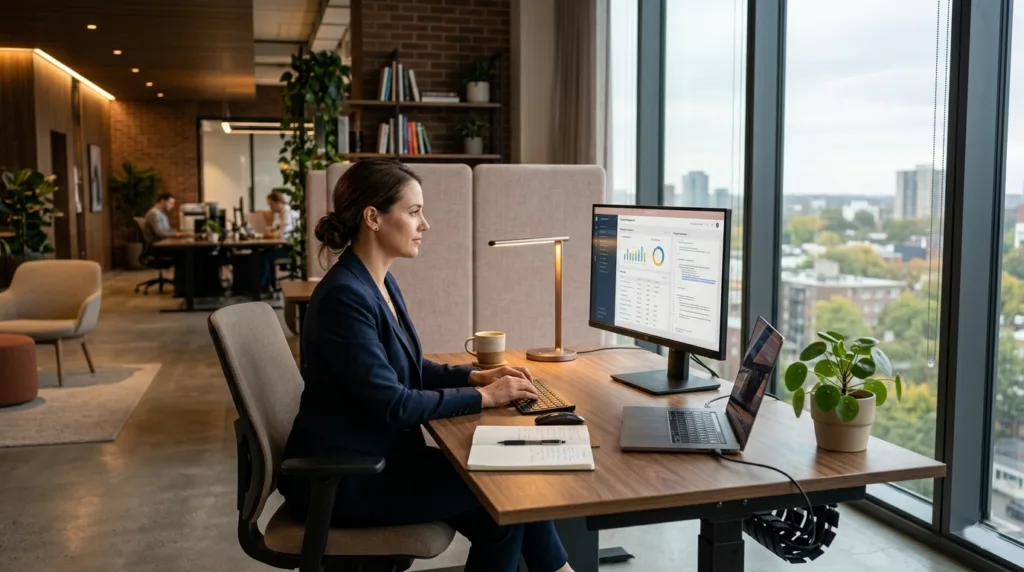
Lighting is one of those elements that people often underestimate- until it starts causing headaches, eye strain, or fatigue. A well-lit workspace doesn’t just help you see better; it actively shapes your mood, energy levels, and overall productivity. Think about how you feel on a bright, sunny day versus a dim, overcast one. That same principle applies to your office workstation layout.
Proper lighting creates a balance between functionality and comfort. Too little light forces your eyes to work harder, while too much brightness can cause glare and discomfort. The goal is to achieve a layered lighting setup that includes ambient, task, and accent lighting. This combination ensures that your workspace is evenly illuminated without overwhelming your senses.
According to the American Society of Interior Designers, 68% of employees complain about lighting conditions in their offices. That’s a significant number, and it highlights how often this factor is overlooked. Poor lighting doesn’t just affect visibility- it can also lead to decreased focus and increased stress levels.
Another important aspect is color temperature. Cooler light (around 5000K) tends to boost alertness and concentration, making it ideal for task-oriented work. Warmer light (around 2700K to 3000K), on the other hand, creates a more relaxed atmosphere. Striking the right balance can make your workstation feel both productive and inviting.
Natural Light vs. Artificial Lighting
Natural light is often considered the gold standard in office design- and for good reason. Exposure to daylight has been linked to improved mood, better sleep patterns, and increased productivity. In fact, a study by Cornell University found that employees with access to natural light reported an 84% drop in symptoms like eye strain and headaches.
Positioning your workstation near a window can make a world of difference, but it’s not always as simple as it sounds. Direct sunlight can create glare on screens, making it difficult to work comfortably. That’s why it’s important to use blinds or curtains to diffuse the light and maintain a consistent level of brightness.
Artificial lighting plays a supporting role when natural light isn’t sufficient. Modern LED lighting systems offer adjustable brightness and color temperature, allowing you to customize your environment based on the time of day or task at hand. This flexibility is especially useful in offices that operate beyond standard daylight hours.
The key is to integrate both natural and artificial lighting in a way that feels seamless. When done right, it creates a dynamic environment that adapts to your needs throughout the day.
Reducing Eye Strain Through Proper Lighting
Eye strain is one of the most common complaints in office environments, and it’s often caused by poor lighting conditions. Staring at screens for extended periods can already be taxing on the eyes, and inadequate lighting only makes things worse.
One effective strategy is to follow the 20-20-20 rule– every 20 minutes, look at something 20 feet away for at least 20 seconds. While this isn’t directly related to layout, it complements a well-designed lighting setup by giving your eyes a chance to rest.
Positioning your light sources correctly is equally important. Avoid placing bright lights directly behind your screen or in your line of sight, as this can create glare and reflections. Instead, opt for indirect lighting that evenly illuminates your workspace.
Adjustable desk lamps can also be a game-changer. They allow you to focus light exactly where you need it, reducing strain and improving visibility. When combined with proper monitor placement and brightness settings, these small adjustments can significantly enhance your comfort and productivity.
Technology Integration in Workstations
In today’s digital age, technology is at the heart of every workstation. From computers and monitors to smart devices and collaboration tools, the way these elements are integrated can make or break your workflow. A cluttered setup with tangled cables and poorly placed devices can quickly become a source of frustration.
Effective technology integration is all about creating a clean, organized, and efficient environment. It ensures that your tools are easily accessible without overwhelming your workspace. Think of it as designing a control panel where every button and screen is exactly where you expect it to be.
One of the biggest challenges is managing the sheer number of devices and accessories that modern work requires. Laptops, external monitors, keyboards, mice, chargers- the list goes on. Without proper organization, these items can quickly take over your desk.
Cable Management Solutions
Cable clutter is more than just an eyesore- it can also be a safety hazard and a productivity killer. Tangled wires make it difficult to identify and access the devices you need, and they can even lead to accidental disconnections.
Simple solutions like cable clips, sleeves, and under-desk trays can go a long way in keeping things organized. Wireless devices are another option, reducing the number of cables altogether. However, they come with their own set of considerations, such as battery life and connectivity.
A clean cable management system not only improves aesthetics but also makes your workspace more functional. It’s easier to clean, maintain, and adjust when everything is neatly organized.
Smart Office Tools and Devices
Smart technology is transforming the way we work, and it’s becoming an integral part of modern workstations. Devices like smart lighting systems, voice assistants, and wireless charging stations can enhance convenience and efficiency.
For example, adjustable standing desks with built-in memory settings allow users to switch between sitting and standing positions with ease. Similarly, smart monitors with blue light filters can help reduce eye strain during long work sessions.
Collaboration tools are also evolving. Video conferencing equipment, digital whiteboards, and cloud-based platforms make it easier for teams to work together, regardless of location. Integrating these tools into your workstation ensures that you’re always ready to connect and collaborate.
Personalization and Employee Comfort
A workstation shouldn’t feel like a sterile, one-size-fits-all environment. Personalization adds a human touch, making the space more inviting and enjoyable to use. After all, people spend a significant portion of their day at their desks- why not make it a place they actually like?
Personalization doesn’t mean cluttering your desk with random items. It’s about adding meaningful touches that reflect your personality while maintaining functionality. This could include photos, plants, or even a favorite mug- small details that make a big difference.
Adding Personal Touches Without Clutter
The challenge with personalization is finding the right balance. Too many items can create visual clutter, which can be distracting and counterproductive. The key is to be selective and intentional about what you include.
Minimalist decor with a few carefully chosen elements can create a clean and aesthetically pleasing workspace. Plants, for example, not only add a touch of nature but also improve air quality and reduce stress levels.
Temperature and Air Quality Considerations
Comfort goes beyond visuals- it also includes physical factors like temperature and air quality. Poor ventilation or inconsistent temperatures can make it difficult to concentrate and stay productive.
Maintaining a comfortable temperature range (typically between 68–74°F) can help create an optimal working environment. Air purifiers and proper ventilation systems can further enhance comfort by reducing pollutants and improving air circulation.
Collaboration vs. Privacy Balance
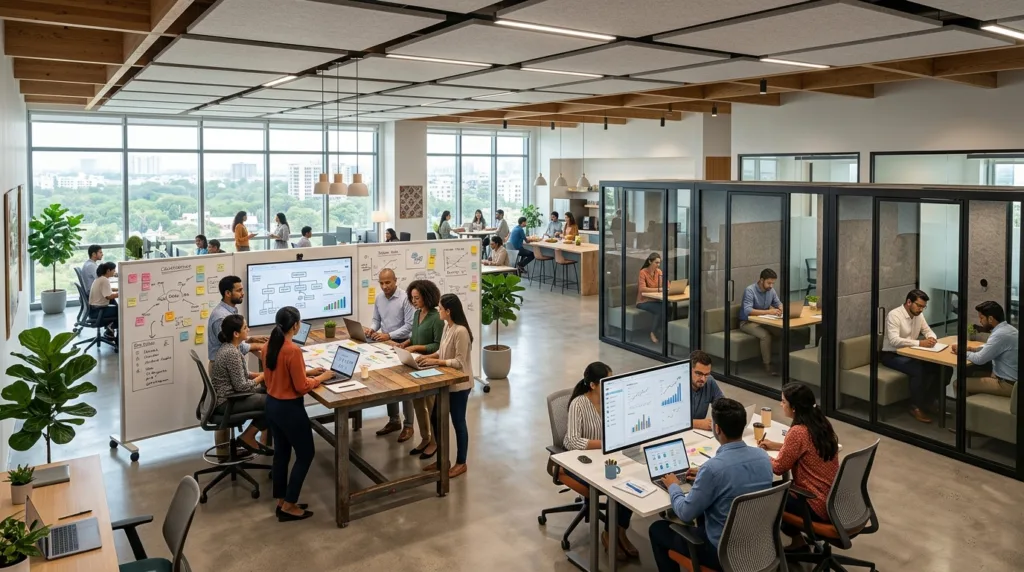
Striking the right balance between collaboration and privacy is one of the trickiest aspects of designing an effective office workstation layout. On one hand, modern workplaces thrive on teamwork, brainstorming, and open communication. On the other hand, constant interaction can become overwhelming, especially when tasks require deep focus. It’s a bit like trying to host a lively dinner party while also needing a quiet corner to read—you need both, but not at the same time.
The reality is that no single layout can fully satisfy both needs unless it’s intentionally designed with flexibility in mind. Employees shift between collaborative and individual tasks throughout the day, and the workspace should support that natural rhythm. A report by Gensler’s Workplace Survey found that employees who have access to both collaborative and private spaces are 12% more productive than those who don’t. That’s a strong case for designing environments that adapt rather than dictate.
One effective approach is zoning- dividing the office into areas dedicated to specific types of work. Open spaces can encourage interaction, while enclosed or semi-enclosed areas provide a refuge for concentration. Acoustic solutions, such as sound-absorbing panels and carpets, also play a significant role in reducing noise levels without completely isolating employees.
Another key factor is choice. When employees can decide where and how they work, they feel more in control of their environment. This sense of autonomy can boost both satisfaction and performance. It’s not about forcing collaboration or enforcing silence- it’s about giving people the tools and spaces to work in the way that suits them best.
Designing Collaborative Spaces
Collaborative spaces are the heartbeat of any dynamic workplace. They’re where ideas are exchanged, problems are solved, and innovation takes shape. But designing these spaces requires more than just placing a table and a few chairs in a room. It’s about creating an environment that naturally encourages interaction and creativity.
The best collaborative spaces are inviting and flexible. Comfortable seating, writable surfaces like whiteboards, and accessible technology can make a huge difference. Think of these areas as creative playgrounds where employees feel free to share ideas without hesitation. The layout should promote face-to-face interaction, as this fosters better communication and stronger team connections.
Lighting and color also play a role. Bright, well-lit spaces with energizing colors can stimulate creativity and keep energy levels high. According to workplace design studies, environments with vibrant colors and natural elements can increase collaboration by up to 20%.
Technology integration is equally important. Video conferencing tools, large display screens, and wireless connectivity ensure that teams can collaborate seamlessly, whether they’re in the same room or working remotely. In today’s hybrid work culture, this level of connectivity isn’t optional- it’s essential.
Creating Quiet Zones for Focused Work
While collaboration is important, uninterrupted focus is where deep work happens. Quiet zones provide a sanctuary for tasks that require concentration, analysis, or creativity without distractions. These spaces are especially valuable in open office environments, where noise and movement can easily disrupt focus.
Designing effective quiet zones involves more than just isolating an area. Soundproofing materials, such as acoustic panels and insulated walls, can significantly reduce noise levels. Even small details, like soft furnishings and carpets, can help absorb sound and create a calmer atmosphere.
Privacy is another critical factor. Partitions, cubicles, or even small private rooms can give employees a sense of separation without completely cutting them off from the rest of the office. This balance ensures that they can focus while still feeling connected to the team.
Interestingly, research shows that employees who have access to quiet workspaces can improve their task performance by up to 16%. That’s because these environments allow for deeper concentration and fewer interruptions. It’s a reminder that sometimes, the most productive thing you can do is simply have a quiet place to think.
Safety and Compliance in Workstation Design
Safety might not be the most exciting aspect of office design, but it’s absolutely essential. A well-designed workstation doesn’t just look good- it protects the health and well-being of everyone who uses it. Ignoring safety considerations can lead to accidents, injuries, and even legal issues, all of which can disrupt productivity and morale.
Modern office workstation layouts must comply with a range of safety standards and regulations. These guidelines cover everything from ergonomic design to fire safety and accessibility. While they may seem restrictive, they actually provide a framework for creating a safer and more efficient workspace.
One of the most important aspects of safety is hazard prevention. Loose cables, unstable furniture, and overcrowded spaces can all pose risks. Regular inspections and maintenance can help identify and address these issues before they become problems.
Workplace Safety Standards
Workplace safety standards are designed to ensure that employees can perform their tasks without unnecessary risk. Organizations like OSHA provide guidelines on everything from desk height and chair support to lighting and ventilation.
For example, maintaining proper ergonomic alignment can reduce the risk of repetitive strain injuries, while adequate lighting can prevent eye strain and headaches. Emergency preparedness is another critical component. Clear exit routes, fire extinguishers, and first aid kits should be easily accessible at all times.
Employers who prioritize safety often see tangible benefits. According to industry data, companies with strong safety programs experience up to 40% fewer workplace injuries. This not only protects employees but also reduces costs կապված with absenteeism and healthcare.
Accessibility for All Employees
An inclusive office is one that works for everyone, regardless of physical ability. Accessibility should be a fundamental consideration in any workstation layout. This includes features like adjustable desks, wheelchair-friendly pathways, and easily reachable storage.
Designing for accessibility isn’t just about compliance- it’s about creating an environment where everyone can thrive. Simple adjustments, such as wider walkways and lower desk heights, can make a significant difference in usability.
Technology can also play a role. Screen readers, voice recognition software, and other assistive tools can help employees with disabilities perform their tasks more effectively. When these tools are seamlessly integrated into the workstation, they become part of the overall design rather than an afterthought.
Future Trends in Office Workstation Layout
The way we work is constantly evolving, and office design is evolving right along with it. The future of office workstation layouts is being shaped by technology, sustainability, and changing employee expectations. It’s no longer just about creating a functional space- it’s about designing an experience.
One of the biggest shifts is the move toward flexibility. Employees are no longer tied to a single desk or location. Instead, they move between different work zones depending on their tasks. This dynamic approach requires workstations that can adapt quickly and easily.
Hybrid Workstation Models
Hybrid work models are becoming the new norm, blending remote and in-office work. This shift has a significant impact on workstation design. Offices are no longer just places where employees sit for eight hours a day- they’re hubs for collaboration and connection.
Hot-desking and shared workspaces are becoming more common, allowing employees to use different desks as needed. This approach maximizes space utilization while also encouraging interaction between teams. However, it also requires careful planning to ensure that each workstation is equipped with the necessary tools and technology.
Sustainable and Eco-Friendly Designs
Sustainability is no longer optional- it’s a priority. Eco-friendly office designs focus on reducing environmental impact while creating healthier workspaces. This includes using sustainable materials, energy-efficient lighting, and recycling systems.
Green offices don’t just benefit the planet- they also improve employee well-being. Studies have shown that workplaces with sustainable features can increase productivity by up to 18%. It’s a win-win situation that aligns business goals with environmental responsibility.
Conclusion and Key Takeaways
Designing the perfect office workstation layout is less about following rigid rules and more about understanding how people work best. From ergonomics and lighting to collaboration and privacy, every element plays a role in shaping the overall experience. When these components come together thoughtfully, the result is a workspace that feels intuitive, comfortable, and productive.
The modern office is no longer just a place to work- it’s a space that supports creativity, well-being, and connection. By focusing on flexibility, personalization, and smart design, businesses can create environments that truly empower their employees.
FAQs
1. What is the ideal office workstation layout?
The ideal layout balances ergonomics, accessibility, and functionality while minimizing distractions and maximizing comfort.
2. How much space should each workstation have?
Typically, 50–60 square feet per workstation is recommended, though this can vary based on the office type.
3. Why is ergonomics important in workstation design?
Ergonomics helps prevent injuries, improves comfort, and boosts productivity by aligning the workspace with the user’s body.
4. How can I reduce noise in an open office?
Using acoustic panels, carpets, and designated quiet zones can significantly reduce noise levels.
5. What are the benefits of hybrid workstations?
They offer flexibility, improve space utilization, and support both remote and in-office collaboration.