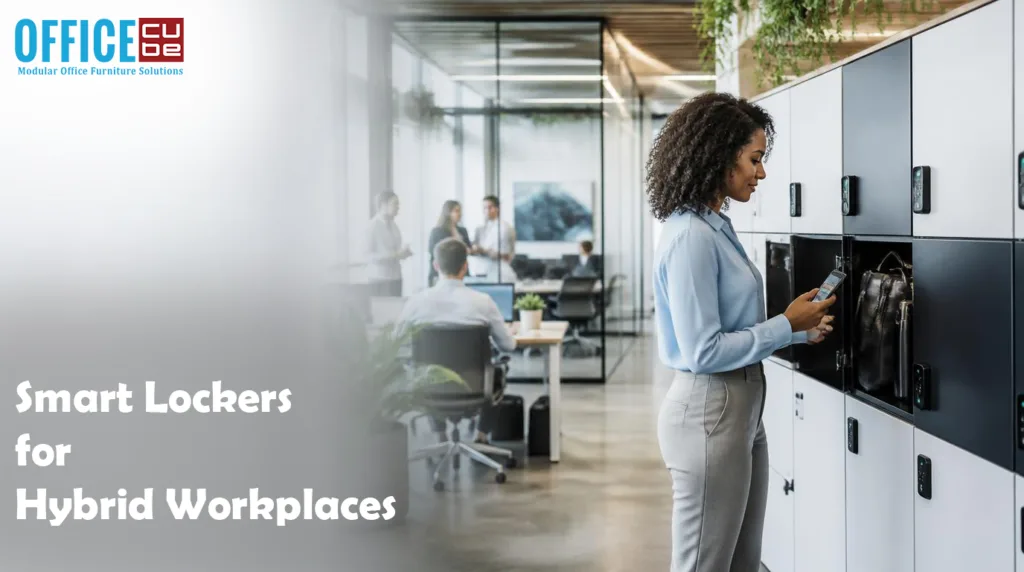
The modern workplace has undergone a significant transformation over the past few years. With hybrid work becoming the preferred model for organizations worldwide, businesses are redesigning their offices to support flexible schedules, shared workspaces, and improved employee experiences. One challenge that consistently arises in hybrid offices is secure and efficient storage for employees who no longer have assigned desks.
This is where Smart Lockers for Hybrid Workplaces have become an essential workplace technology. These intelligent storage solutions allow employees to securely store personal belongings, laptops, documents, and equipment while giving organizations greater visibility and control over locker usage. Unlike traditional lockers with physical keys, smart lockers use digital authentication, mobile apps, RFID cards, PIN codes, or biometric access to provide a seamless and secure experience.
As companies continue to optimize office space and support flexible work arrangements, smart lockers are helping bridge the gap between convenience, security, and operational efficiency. This guide explores everything businesses need to know about implementing smart lockers in hybrid workplaces.
Why Hybrid Workplaces Need Smart Lockers
Hybrid work has fundamentally changed how employees use office space. Instead of having permanent desks, many organizations now operate hot-desking or desk-sharing systems. Employees may work from the office only a few days each week, making dedicated storage impractical.
Smart Lockers for Hybrid Workplaces solve this challenge by providing temporary or assigned storage that employees can reserve when needed.
Common workplace challenges include:
- No permanent desk storage
- Shared office environments
- Secure storage for laptops and devices
- Managing visitor belongings
- Equipment check-in and check-out
- Space optimization
Smart lockers address these issues while supporting flexible office operations and enhancing employee satisfaction.
What Are Smart Lockers?
Smart lockers are digitally managed storage units equipped with electronic locking mechanisms and cloud-based management software. Users gain access through secure authentication methods instead of traditional keys.
Access options may include:
- Mobile applications
- QR codes
- PIN codes
- RFID employee badges
- NFC-enabled smartphones
- Biometric verification
- Single Sign-On (SSO)
Administrators can monitor locker usage in real time, assign lockers remotely, receive usage reports, and integrate lockers with workplace management platforms.
This technology makes locker management significantly more efficient than conventional storage systems.
Key Benefits of Smart Lockers for Hybrid Workplaces
Improved Workplace Flexibility
One of the biggest advantages of Smart Lockers for Hybrid Workplaces is flexibility. Employees no longer need permanently assigned lockers because they can reserve one only when visiting the office.
This approach supports:
- Flexible work schedules
- Shared office environments
- Rotating employee attendance
- Desk booking systems
Organizations maximize available space while giving employees convenient access to secure storage whenever needed.
Enhanced Security
Security remains a top priority in modern offices.
Unlike traditional lockers that rely on keys or combination locks, smart lockers offer advanced security features such as:
- Encrypted authentication
- Automatic locking
- User activity logs
- Time-limited access
- Remote lock management
- Instant access revocation
These capabilities reduce unauthorized access while protecting valuable company equipment and confidential information.
Better Employee Experience
Employees appreciate convenience.
Smart lockers eliminate common frustrations like:
- Lost keys
- Forgotten combinations
- Searching for available lockers
- Waiting for administrative assistance
Instead, employees can reserve lockers using mobile apps, receive digital access credentials instantly, and access their belongings within seconds.
A smoother workplace experience contributes to higher employee satisfaction and supports productivity.
Efficient Space Utilization
Office real estate is expensive.
Hybrid workplaces aim to maximize every square foot while accommodating fluctuating attendance.
Smart lockers help organizations:
- Reduce unused storage
- Share locker resources
- Monitor occupancy
- Optimize office layouts
- Scale storage capacity based on demand
Analytics allow facility managers to understand locker usage trends and make data-driven decisions.
Essential Features of Smart Lockers
Cloud-Based Management
Cloud platforms allow administrators to manage lockers remotely from any location.
Key capabilities include:
- Remote assignment
- Real-time monitoring
- Usage analytics
- Automatic notifications
- Software updates
- Centralized administration
Cloud management reduces maintenance while improving operational efficiency.
Mobile App Integration
Modern employees expect mobile-first workplace experiences.
Many smart locker systems offer dedicated mobile applications that enable users to:
- Reserve lockers
- Unlock doors
- Receive notifications
- Extend reservations
- Report issues
This creates a seamless digital experience that aligns with other workplace technologies.
Workplace System Integration
The best Smart Lockers for Hybrid Workplaces integrate with existing workplace management systems.
Common integrations include:
- Desk booking software
- Visitor management platforms
- Employee directories
- Identity management systems
- Building access control
- Microsoft Azure Active Directory
- Google Workspace
- Microsoft 365
Integration simplifies administration while improving the employee experience.
Usage Analytics
Data-driven workplaces rely on actionable insights.
Smart lockers generate valuable reports showing:
| Analytics Feature | Business Benefit |
| Locker occupancy | Optimize storage capacity |
| Peak usage times | Improve scheduling |
| Reservation trends | Better planning |
| User activity | Increased security |
| Maintenance alerts | Reduced downtime |
Analytics help organizations continuously improve workplace operations.
Common Use Cases in Hybrid Offices
Smart lockers support a wide range of workplace functions beyond personal storage.
Popular applications include:
Employee Storage
Employees securely store backpacks, laptops, coats, and personal belongings during office visits.
IT Asset Management
Companies use lockers to distribute and collect laptops, monitors, tablets, chargers, and accessories without requiring IT staff to be physically present.
Visitor Lockers
Visitors can safely store bags and personal items while attending meetings or events.
Package Delivery
Many organizations use smart lockers for internal package delivery and mail distribution.
Equipment Checkout
Shared equipment like cameras, testing devices, presentation tools, and specialized hardware can be securely managed through smart locker systems.
Best Practices for Implementing Smart Lockers
Successful implementation requires thoughtful planning.
Assess Workplace Needs
Evaluate:
- Number of hybrid employees
- Office attendance patterns
- Storage requirements
- Available space
- Security expectations
Understanding usage patterns ensures the right locker capacity and configuration.
Choose Scalable Solutions
Hybrid workplaces continue evolving.
Select smart locker systems that can:
- Expand easily
- Add new locker modules
- Support additional office locations
- Integrate with future workplace technologies
Scalability protects long-term investment.
Prioritize User Experience
Simple technology encourages adoption.
Choose systems offering:
- Mobile access
- Fast authentication
- Clear instructions
- Reliable performance
- Responsive customer support
Employees should be able to access lockers with minimal training.
Establish Clear Usage Policies
Develop guidelines covering:
- Reservation duration
- Cleaning responsibilities
- Lost property procedures
- Access permissions
- Equipment return timelines
Clear policies improve operational consistency and reduce misunderstandings.
Future Trends in Smart Lockers for Hybrid Workplaces
The future of Smart Lockers for Hybrid Workplaces is closely tied to the evolution of smart offices and connected workplace ecosystems.
Emerging innovations include:
- AI-powered locker allocation
- Predictive occupancy analytics
- IoT-enabled environmental monitoring
- Facial recognition authentication
- Touchless access systems
- Automated asset tracking
- Energy-efficient smart locker designs
- Digital workplace platform integration
As organizations continue investing in workplace technology, smart lockers will become increasingly intelligent, connected, and personalized.
Conclusion
Smart Lockers for Hybrid Workplaces have become an essential component of today’s flexible office environments. They provide secure, convenient, and technology-driven storage while supporting hot-desking, hybrid work schedules, and efficient space utilization. Beyond safeguarding personal belongings and company assets, smart lockers enhance the employee experience through digital access, seamless workplace integration, and data-driven management.
Organizations that invest in scalable, cloud-connected locker solutions position themselves to adapt more effectively to changing workplace demands. By selecting systems that integrate with existing office technologies, prioritize user convenience, and provide actionable analytics, businesses can create smarter, more efficient workplaces that meet the expectations of today’s hybrid workforce. As workplace innovation continues, smart lockers will play an increasingly important role in building secure, flexible, and future-ready offices.
Frequently Asked Questions
1. What are smart lockers for hybrid workplaces?
Smart lockers are digitally managed storage units that allow employees to securely store personal belongings and company equipment using mobile apps, RFID cards, PINs, or biometric authentication.
2. How do smart lockers support hybrid work?
They provide flexible, on-demand storage for employees who use shared desks or only visit the office on certain days, eliminating the need for permanently assigned lockers.
3. Are smart lockers secure?
Yes. Most systems include encrypted authentication, digital access logs, remote management, automatic locking, and time-based access controls for enhanced security.
4. Can smart lockers integrate with workplace software?
Many smart locker solutions integrate with desk booking systems, visitor management platforms, building access control, identity management systems, and productivity suites like Microsoft 365 and Google Workspace.
5. What should businesses consider before implementing smart lockers?
Organizations should evaluate employee attendance patterns, storage requirements, available office space, integration needs, scalability, security features, and the overall user experience before selecting a smart locker solution.